KSR Academy

Practical Accounting with Tally Prime

Learn Practical Accounting with Tally & GST Basics – Simple, Job-Oriented & Hands-On Training.”

  • Speaker Karan Singh Rathod
  • Duration 25+ Hours
  • Lessons 50+ Lessons
4
Untitled (400 x 300 px) (2)

Validity

18 Month

Certificate

YES

Module

3 Module

Course Description

The Practical Accounting with Tally Prime Course is a practical training program that helps learners build strong accounting skills with hands-on knowledge of Tally PRIME. The course focuses on recording transactions, preparing financial statements, and using Tally for day-to-day business operations. Along with this, learners are introduced to basic GST concepts such as GST setup, billing, and input tax credit (without GST return filing).

This course is designed for students, beginners, and business owners who want to manage accounts effectively using Tally.


Key Learning Outcomes

Participants will learn how to:

  • Record and maintain daily business transactions in Tally Prime

  • Create ledgers, groups, vouchers, and manage inventory

  • Prepare Trial Balance, Profit & Loss Account, and Balance Sheet

  • Perform Bank Reconciliation

  • Understand basic GST concepts – GST setup in Tally, GST invoicing, and ITC adjustments


Course Coverage

  1. Fundamentals of Accounting & Business Transactions

  2. Tally Prime Basics – Company creation & setup

  3. Ledger, Voucher & Inventory Management

  4. Preparation of Financial Statements in Tally

  5. Bank Reconciliation in Tally

  6. GST – GST setup, invoicing, input tax credit


Who Should Enroll?

  • Students & fresh graduates starting a career in accounting

  • Small business owners managing their own accounts

  • Beginners who want to learn Tally Prime with GST


Career Opportunities

  • Tally Operator

  • Accounts Assistant

  • Junior Accountant

  • GST Billing Executive (basic level) 

Key Features

Why Choose Our practical accounting with Tally Prime Course?

Updated Lessons

All the video lessons in this course are created for the latest Tally Prime versions with GST.

Get ISO Certificate

If you complete all Tax Consultant Modules & with proper practice, then you will get an ISO Certificate for free

Doubts Solution Support

Also, you can ask all your doubts after attending the daily lessons. Our team will solve each and every problem.

Become Smart

After completing this course, you will become more smarter in Accounting and Taxation can get high-paying jobs & promotions

What will you Learn in this Course ( CONTENT)

  • Lec-1 What is Accounting ? Introduction of Account
  • Lec-2 How Many Person do Business
  • Lec-3 How to record Transaction ? Golden Rule of Account
  • Lec-4 5 Pillars of Account Part-1
  • Lec. 5. 5 Pillars Of Account Part-2
  • Lec-6 How Many Transaction of Business Part-1
  • Lec-7 How Many Transaction of Business Part-2
  • Lec-8 Ledger Posting
  • Lec-9 How to Prepare Trail Balance
  • Lec-10 How To Prepare Trading and Profit and Loss Account
  • Lec-11 How to Prepare Balance Sheet
  • Lec-12 How To Prepare Trading and Profit and Loss Ac and Balance sheet from Trail balance
  • Lec-1 Introduction of Tally Prime
  • Lec-2 How to Download Tally Prime
  • Lec-3 How to Create Company , Alter, Shut , Change in Tally Prime
  • Lec-4 Ledger Create, Alter and Delete in Tally Prime
  • Lec-5 Group Creation in Tally Prime
  • Lec-6 Practical Opening Balance enter in Tally Prime
  • Lec-7 Voucher Entry -F4 Contra
  • Lec-8 Voucher Entry – F5 Payment and F6 Receipt
  • Lec-9.Voucher Entry -F9 Purchase and F8 Sales (without Inventory )
  • Lec-10 Voucher Entry -F7 Journal Voucher
  • Lec-11 Advance Feature in Voucher Entry
  • Lec-12 Inventory Master – Item, UOM, Group, Create, Alter / Delete
  • Lec-13 Sales & Purchase Record with Inventory
  • Lec-14 Bank Statement Entry in Tally Prime
  • Lec-15 What is GST ? GST Registration Limit ? Who Charge GST on Goods
  • Lect-16 What is Intra State and Inter State Purchase & Sales
  • Lec-17- Types of Tax | What is IGST,CGST,SGST
  • Lec-18 What is Input and Output Tax in GST
  • Lec-19 What is Input tax Credit
  • Lec-20 How to Activate GST in Tally Prime
  • Lec-21 How to Create GST Ledger
  • Lec-22 Create Debtors and Creditors Ledger
  • Lec-23 GST Tax Rate Setup in Stock Item and Stock Group
  • Lec-25 How to Record Sales Invoice with GST
  • Lec-26 How to Charge GST on Freight Charges in Purchase and sales Invoice with Stock Item
  • Lec-27 Trade Discount and Cash Discount Entry in Purchase and Sales Invoice
  • Lec-28 How to Deactivate Item Allocation Option in Stick Item
  • Lec-29. Buy 5 Get one Free Offer Entry in Sale Invoice
  • Lec-30 Free sample using zero-valued transaction in Sales Invoice
  • Lec-31 Specify Separate Buyer (Bill to) and Consignee (Ship to) details
  • Lec-32 What is Debit Note ? When Issue and Record Debit Note in Tally Prime
  • Lec-33 What is Credit Note ? When issue and Record Credit Note in Tally Prime
  • Lec-34 How to Record Purchase of Fixed Assets/Capital Goods Under GST
  • Lec-35 Record Expenses with GST in Purchase, Payment or Journal Voucher
  • Lec-36 Voucher Class in sales and purchase (Speed Transaction Record)
  • Lec-37 Inclusive of Tax of Item Option in Sale Invoice (Walking Client Business)
  • Lec-38 Create Sales Invoice without Party Ledger Create (Shop Accounting)
  • Lec-39 How to Give Quotation to Walking Client without Ledger Create
  • Lec-40 What is RCM ? How to Pay GST via RCM
  • Lec-41 RCM Entry in Tally Prime | RCM on Freight Charges Entry
  • Lec-42 Batch Wise ( IMEI) Stock Maintain | Electric Shop Accounting
  • Lec-43 Report – Trail Balance & Day Book
  • Lec-44 Report – Cash Book and Bank Book| How to check Day wise Negative Cash Balance
  • Lec-45 Report – Ledger and Group wise Check
  • Lec-46 Report -Sales Register and Purchase Register
  • Lec-47 Detail Analysis of Trading & Profit and Loss A/c
  • Lec-48 Detail Analysis of Balance Sheet
  • Lec-49 Details Analysis of Stock Item | Stock Summary
  • Lec-50 Bank Reconciliation in Tally Prime
  • Lec-51 Print Option | Print sales Invoice | Ledger Party
  • Lec-52 Important Short Cut Key | Insert Voucher | Create Ledger Etc
  • Lec-53 Stock Journal | Stock Transfer from One Godown to another Godown
  • Lec-54 Lecture-52 Tally Data Backup and Restore
  • Lec-55 Split Tally Data | How to DATA Split 
  • Lec-56 How to Send DATA via Mail and Whats App 
  • Lec-57 How to Open Tally DATA Received by Mail and Whats App 
  • Lec-59 How to Select DATA Path for Default Company Folder
  • Lec-60 Control user Access to Company DATA | Password Create for Open Company
  • Lec-61 Tally Data Export in PDF, Excel and JPEG Format
  • Lec-1 What is TDS and TCS ? TDS Overview
  • Lec-2 TDS Entry in Tally Prime
  • Lec-3 TDS Working in Excel for Challan and Return 

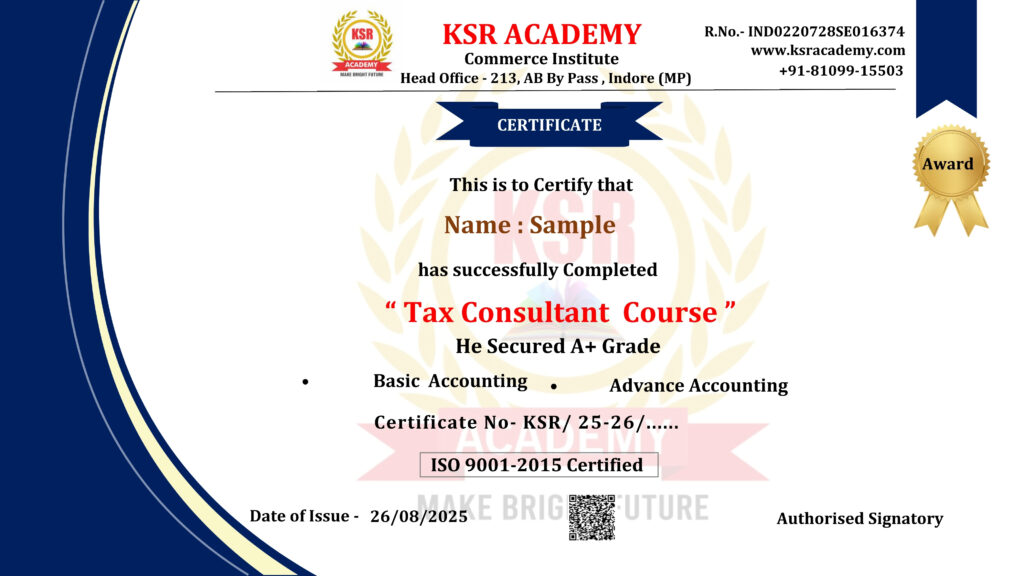
course completion certificate

Why Students Love KSR Academy

Whether it’s a first brush on canvas or the last frame in an animation, Skillshare is here to support you on every step of your creative journey.

Demo Videos

Frequently Asked Questions

Click on Enroll Now Button. > Clicking the Course Page will Open> Click on Get this course. > Fill Detail and Verify Mobile number with Mobile OTP. > Make payment via UPI, Debit card and Credit Card> After payment you will get access immediately.

Yes ! You can Download Videos in Mobile Application, You Can watch it in Offline Mode without Internet.

For Laptop or PC Visit www.ksracademy.com >click on Login > Enter your Registered mobile number > Verify OTP with Registered Mobile Number.

Yes ! you will have our WhatsApp support.

The validity of the course is 18 Month.

Yes, you will get Accounting, Tally Prime eBook and practice file.

Yes ! You will Get A Certificate.

There is No Refund Policy.

There will be a live doubt session Monday to Friday 8PM.